
This article will help you understand how Facebook Link Click Ads work and how they are used to promote your website. This guide, it will show you the steps to take in order to figure out which kind of Facebook Click Link Ads might be best for your site’s needs.

What are Facebook Link Click Ads?
Facebook Click Link Ads are a great way to get your website or blog more exposure. By using them, you can create ads that link directly to your content on Facebook. This makes it easy for people to find and read your content right from their Facebook page. Additionally, the ads can be targeted to specific demographics, interests, and locations. Here’s a step-by-step guide on how to use Facebook Link Click Ads:
- Log in to your Facebook Ad Manager Account.

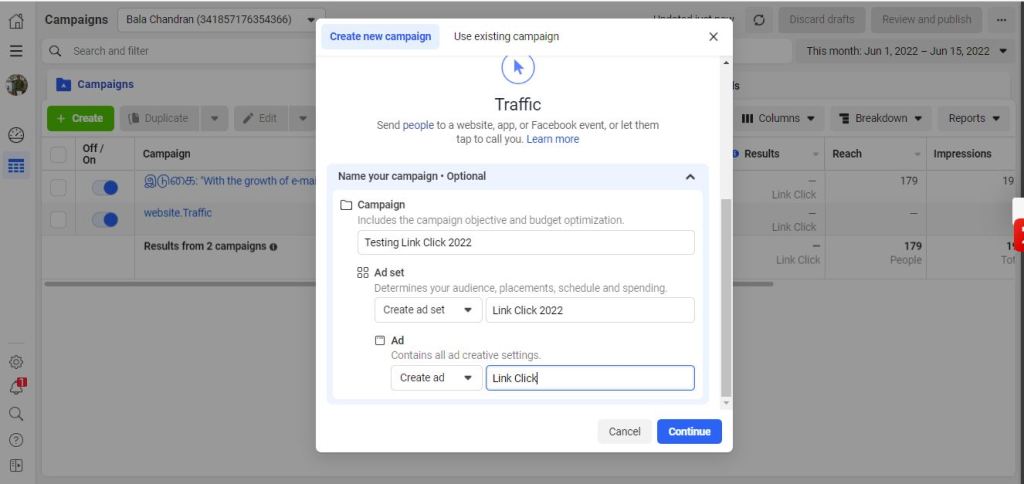
2. Click on the “Create” button on the left side of your screen.

3. Under “Create New Campaign,” choose “Traffic”

4. Under “Traffic” – Name your Campaign, Ad Set, and Ad (Any name you can give ex Testing Link Click Ads)
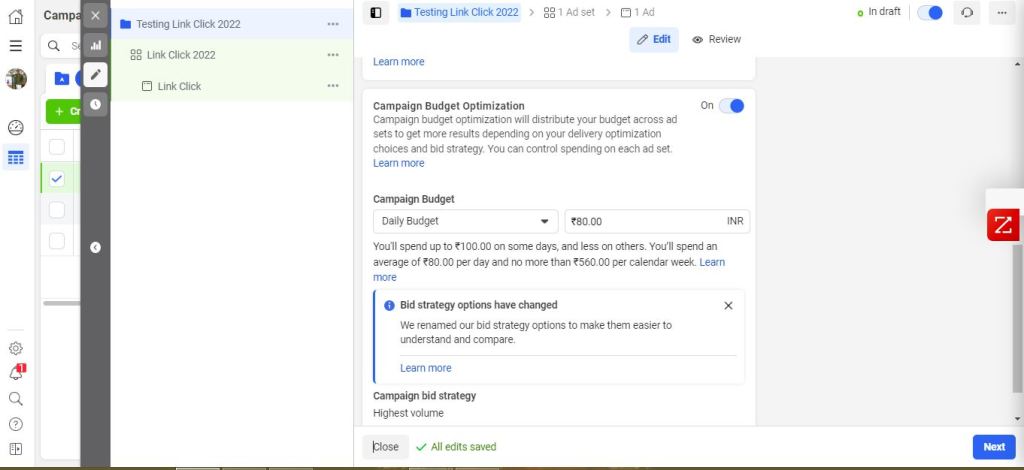
5. Campaign Budget “Expected Campaign budget,” enter how much money want and select Daily Budget or Lifetime Budget.
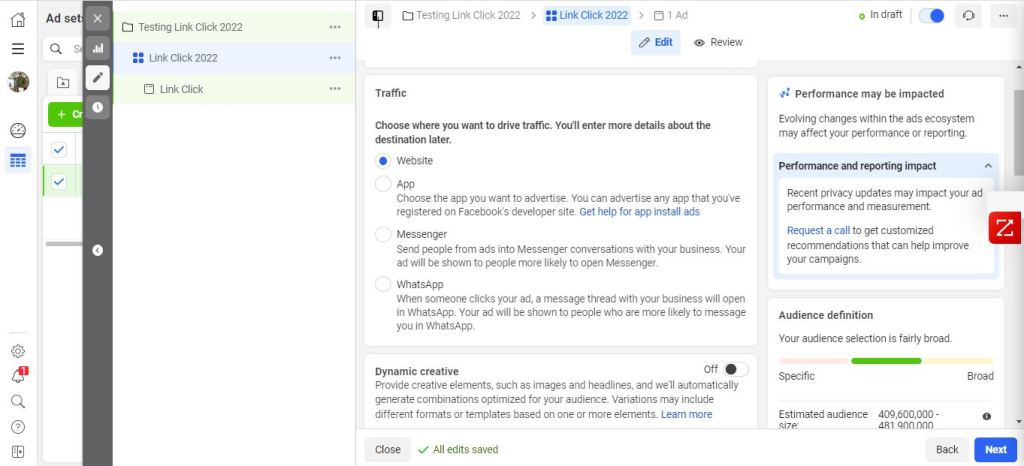
6. Choose where you want to drive traffic, Website, App, Messenger, and WhatsApp.
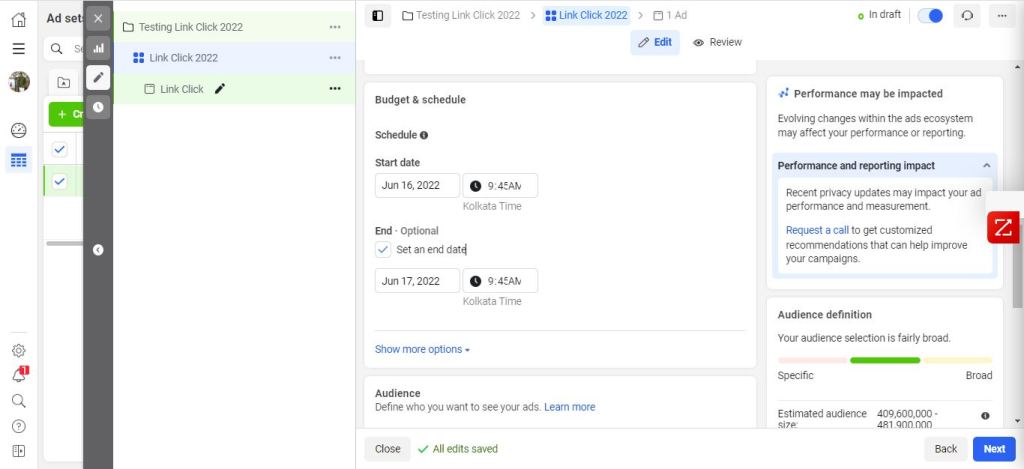
7. Budget & Schedule – Give Starting Date and Ending Date for your campaign.
8. Under “Audience,” choose which demographics, interests, and locations you want your ad to be targeted towards. You can also choose to have your ad only shown to people who have already liked your page, or followed one of your pages (if you’re using Facebook’s Reach product).
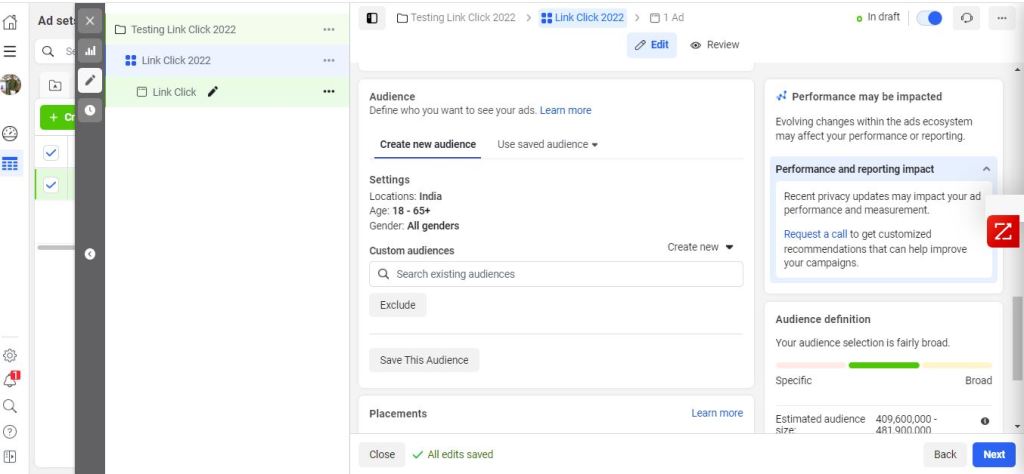
9. Placements – Automatic and Manual
Manual Placements – Manually choose the places to show your ad. The more placements you select, the more opportunities you’ll have to reach your target audience and achieve your business goals. You can also choose the platforms like Facebook, Instagram, Audience Network, and Messenger.

10. Finally, Under “Identity” Choose Your Facebook Page, If you want run ads in Instagram give your Instagram account also.

11. Under “Ad Setup” Choose “Create Ad” Format Single Image or Video, Carousel, and Collection.
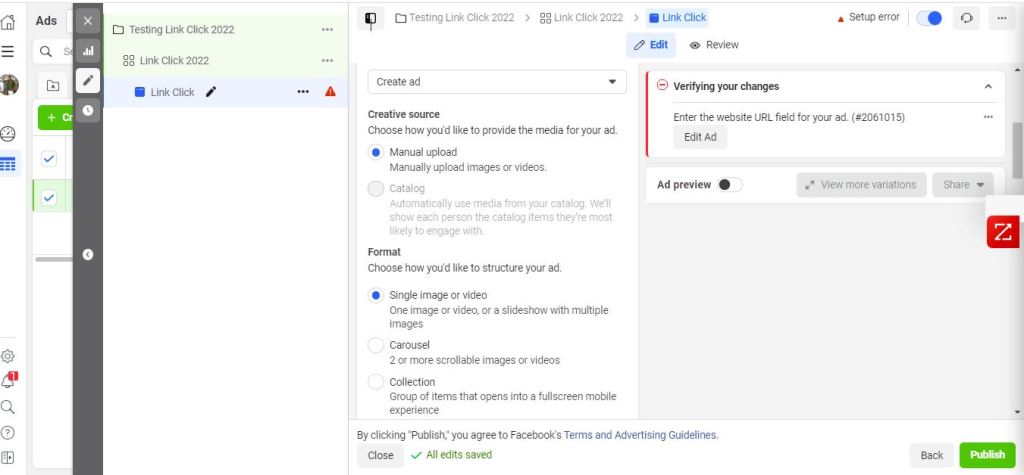
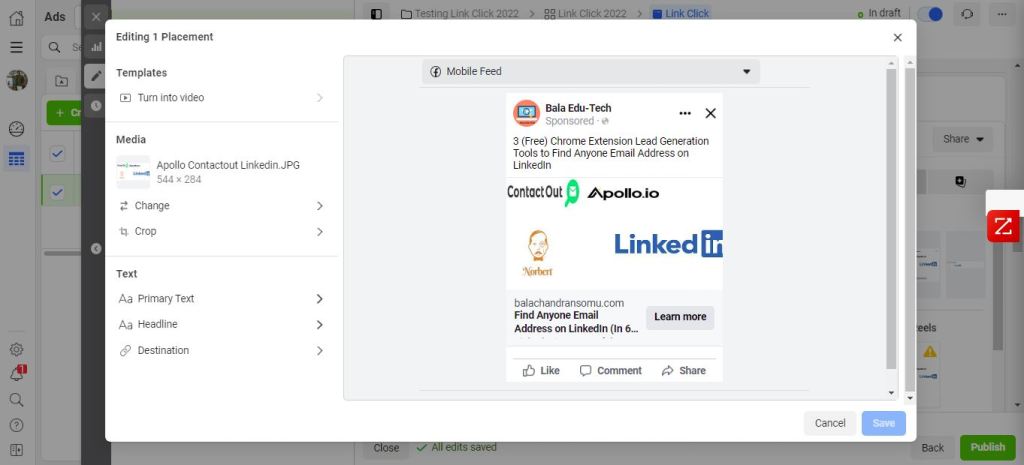
12. Under “Ad Creative” Choose Media (Image or Video), Primary Text, Headline, and Description.
13. Under “Destination” Choose a Website and give your website URL.
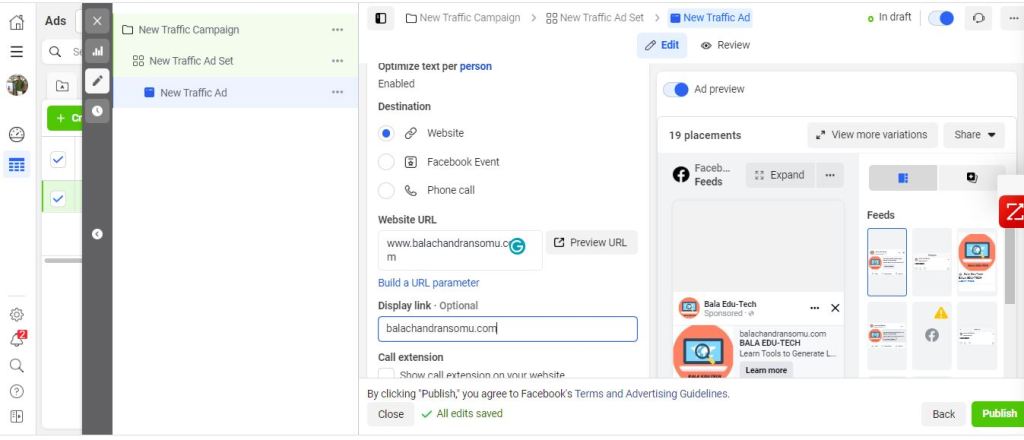
14. Preview and Publish

How to Set Up a Facebook Advertising Campaign
In order to get started with a successful Facebook advertising campaign, you first need to create your ad campaign settings. Once you’ve completed this, you can begin to add your desired target audience and determine your budget.
After creating your ad campaign, you’ll need to start targeting your audience. You can do this by choosing your target demographic, interests, or behaviors. Once you have targeted your audience, you’ll need to create a Facebook ad.
The first thing that you’ll need to do is select the media that you would like to use for your ad. You can choose from text ads, photo ads, or videos. Next, you’ll need to choose the targeting criteria that you would like to use for your ad. These include location, age range, gender, and interests. Finally, you’ll need to create your ad and preview it before publishing it.
Once you’ve published your ad, it will be active for a set period of time. After the set period of time has ended, your ad will be automatically deleted unless it is approved by Facebook. If it is approved, it will remain active until it is deleted by Facebook or replaced with a new ad
How to Keyword Research and Target Your Ads
Facebook link ads are a great way to promote your business on the platform. In this tutorial, we’ll show you how to research keywords and target your ads. First, you’ll need to create an ad campaign and set some budget restrictions. Next, you’ll need to find relevant keywords. You can use Google AdWords Keyword Planner or a tool like Google Trends. Once you have your keywords, you can create your ad campaign and start targeting people with specific interests. Finally, you’ll need to create your Facebook link click ads.
Conclusion
Facebook link click ads are a great way to promote your business on the social media platform. In this step-by-step guide, we’ll show you how to create and design your Facebook ad, as well as how to set up your budget and target your audience. We hope that this guide has given you the knowledge you need to get started with Facebook link click ads, and that soon enough you will be raking in the profits!
 Lead Generation Toolkit
You must be logged in to post a comment.